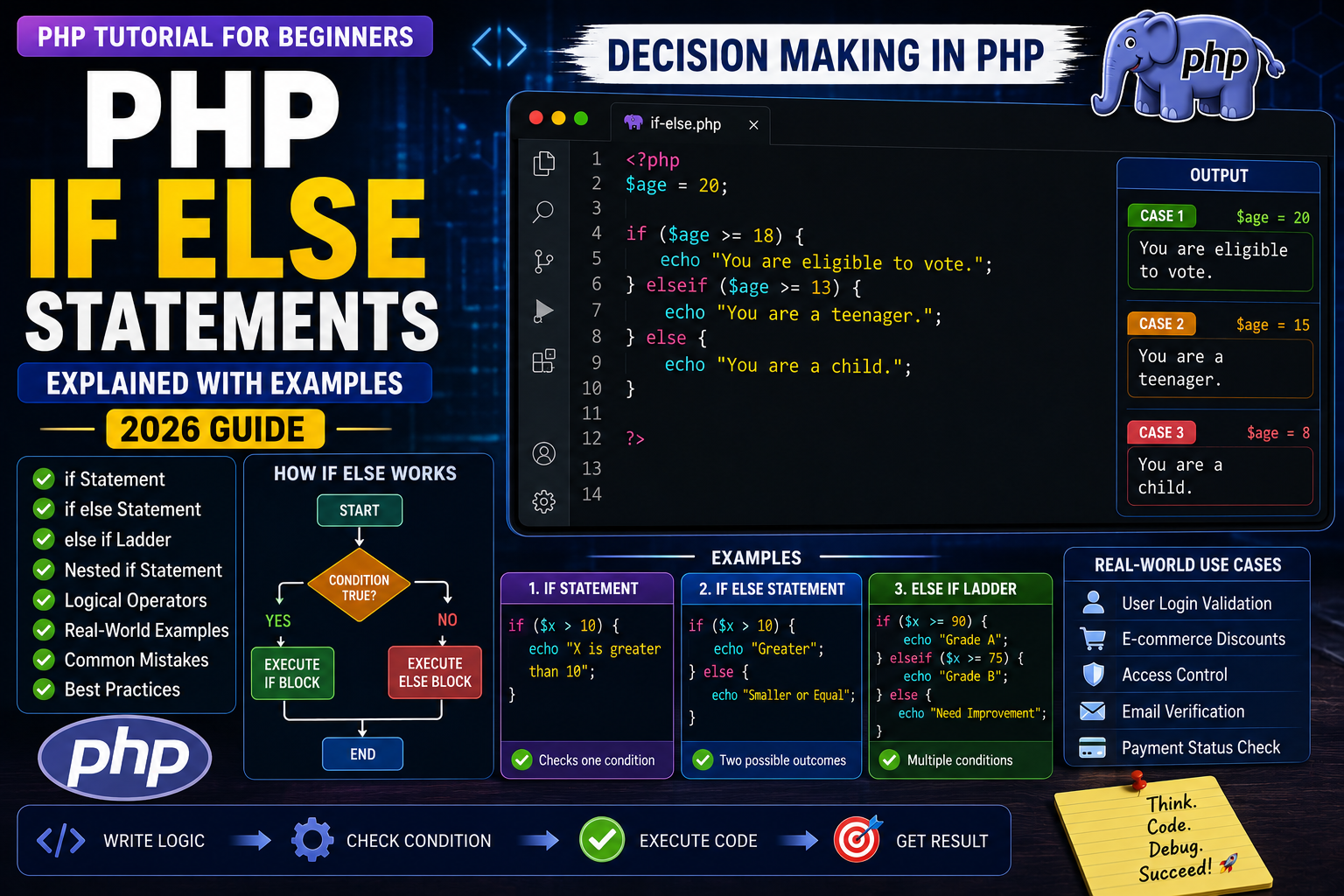
PHP If Else Statements Explained
Programming becomes powerful when a program can make decisions based on different situations. In PHP, this is done using conditional statements.
Imagine an online shopping website:
- If the payment is successful, show Order Confirmed.
- If the password is incorrect, display Invalid Password.
- If the user is an admin, show the admin dashboard.
- Otherwise, show the normal user dashboard.
All these decisions are made using if, else, and elseif statements.
In this guide, you’ll learn how conditional statements work and how to use them in real PHP projects.
What is an If Statement?
An if statement executes a block of code only if a specified condition is true.
Syntax
if (condition) {
    // Code to execute
}
Your First If Statement
Example:
<?php

$age = 20;

if ($age >= 18) {
    echo "You are eligible to vote.";
}

?>
Output
You are eligible to vote.
Since the condition $age >= 18 is true, PHP executes the code inside the if block.
Understanding the Code
$age = 20;
Creates a variable named $age.
if ($age >= 18)
Checks whether the value of $age is greater than or equal to 18.
echo "You are eligible to vote.";
Runs only if the condition is true.
Using the Else Statement
The else block runs when the if condition is false.
Example:
<?php

$age = 15;

if ($age >= 18) {

    echo "Eligible to vote";

} else {

    echo "Not eligible to vote";

}

?>
Output
Not eligible to vote
How If…Else Works
- PHP evaluates the condition.
- If the condition is true, the
ifblock runs. - If the condition is false, the
elseblock runs. - Only one of the two blocks is executed.
Using Elseif
Sometimes you need to check more than one condition.
Example:
<?php

$marks = 82;

if ($marks >= 90) {

    echo "Grade A";

} elseif ($marks >= 75) {

    echo "Grade B";

} elseif ($marks >= 60) {

    echo "Grade C";

} else {

    echo "Fail";

}

?>
Output
Grade B
PHP checks each condition from top to bottom and executes the first one that matches.
Real-World Example: User Login
Conditional statements are widely used for login systems.
<?php

$isLoggedIn = true;

if ($isLoggedIn) {

    echo "Welcome back!";

} else {

    echo "Please log in.";

}

?>
This simple example demonstrates how websites decide what content to display based on a user’s login status.
Common Mistakes Beginners Make
- Forgetting parentheses around the condition.
- Using
=instead of==for comparison. - Missing curly braces
{}in complex blocks. - Incorrect indentation, making the code hard to read.
- Placing
elseifafterelse, which is not valid.
Writing clean and properly formatted conditional statements makes your code easier to understand and maintain.