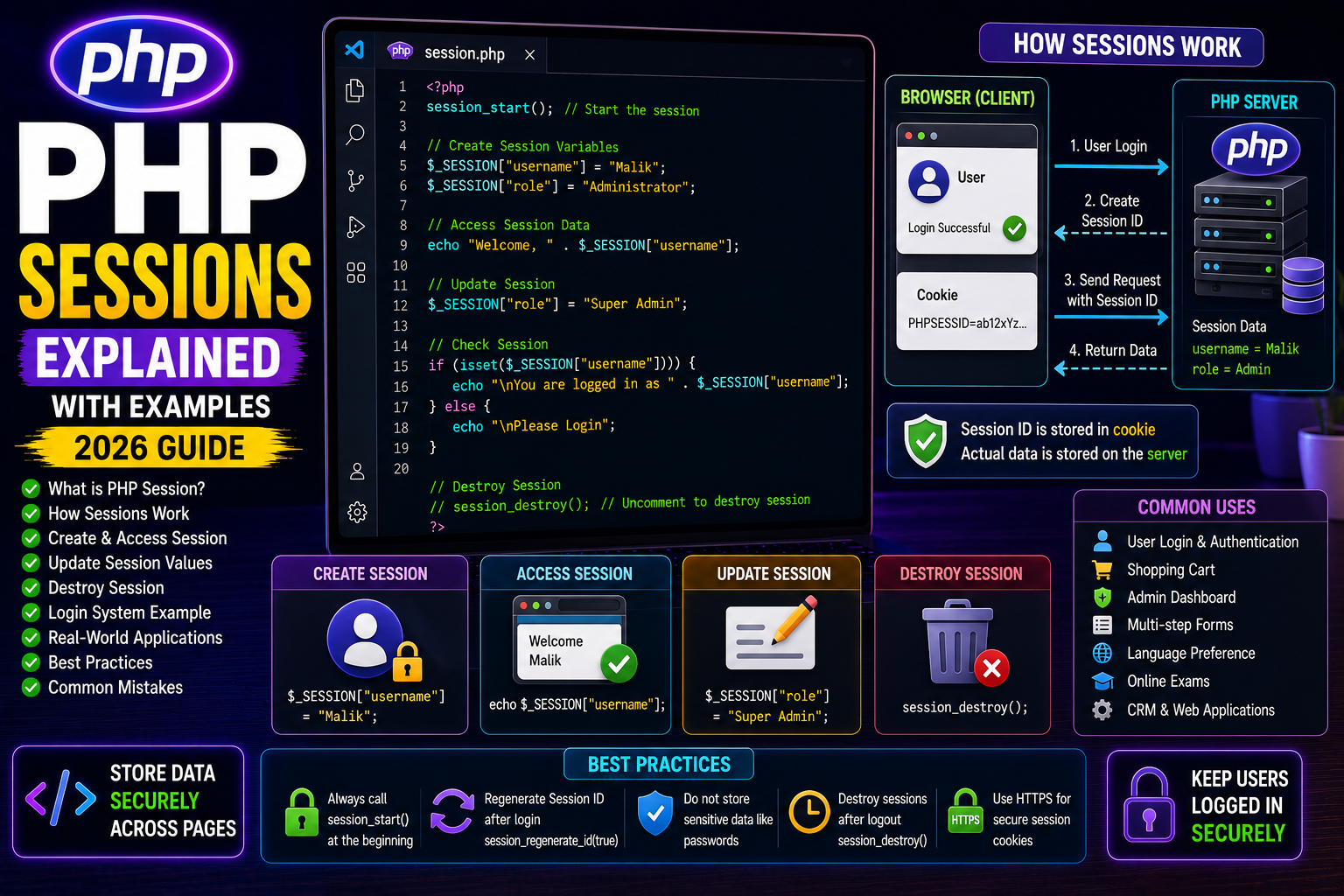
PHP Sessions Explained with Examples (Beginner Guide 2026)
Introduction
Imagine a user logs into your website. After opening another page, the website should still remember that the user is logged in.
HTTP is a stateless protocol, meaning every page request is treated as a completely new request.
PHP solves this problem using Sessions.
Sessions allow the server to store user information across multiple pages until the user logs out or closes the session.
Sessions are used in almost every modern PHP application.
What is a PHP Session?
A session is temporary data stored on the server for a specific user.
Instead of storing sensitive information in the browser, PHP stores it securely on the server and gives the browser only a unique Session ID.
Examples of session data:
- Logged-in username
- User ID
- Shopping cart
- Selected language
- Theme preference
- Authentication status
How Sessions Work
The process is simple:
- User visits the website.
- PHP creates a unique Session ID.
- The Session ID is stored in the browser cookie.
- Actual session data remains on the server.
- Every page request uses the Session ID to retrieve stored information.
Starting a Session
Before using sessions, call session_start().
<?php

session_start();

?>
This must be placed before any HTML output.
Creating Session Variables
<?php

session_start();

$_SESSION["username"] = "Malik";

$_SESSION["role"] = "Administrator";

echo "Session Created";

?>
Accessing Session Data
<?php

session_start();

echo $_SESSION["username"];

?>
Output
Malik
Checking if a Session Exists
<?php

session_start();

if(isset($_SESSION["username"])){

echo "Welcome " . $_SESSION["username"];

}else{

echo "Please Login";

}

?>
Updating Session Values
<?php

session_start();

$_SESSION["username"] = "Adil";

?>
The previous value is replaced with the new one.
Destroying a Session
When a user logs out:
<?php

session_start();

session_destroy();

?>
All session data is removed.
Removing a Single Session Variable
<?php

session_start();

unset($_SESSION["username"]);

?>
Only the selected variable is removed.
Real-World Login Example
Login Page
<?php

session_start();

$_SESSION["login"] = true;

$_SESSION["username"] = "Malik";

header("Location: dashboard.php");

?>
Dashboard
<?php

session_start();

if(!isset($_SESSION["login"])){

header("Location: login.php");

exit;

}

echo "Welcome " . $_SESSION["username"];

?>
This is the basic structure used in most PHP login systems.
Common Uses of Sessions
- User Login
- Admin Panel
- Shopping Cart
- Multi-step Forms
- Online Exams
- Banking Applications
- CRM Software
- E-commerce Websites
Best Practices
- Always call
session_start()first. - Destroy sessions after logout.
- Never store passwords in sessions.
- Regenerate session IDs after login using
session_regenerate_id(true). - Use HTTPS for secure session cookies.
Common Mistakes
❌ Forgetting session_start()
❌ Output before starting a session
❌ Storing sensitive passwords
❌ Not destroying sessions after logout
❌ Trusting session data without validation
Frequently Asked Questions
Where are sessions stored?
By default, PHP stores session data on the server.
Can users edit session values?
No. Users only receive the Session ID. The actual data remains on the server.
Are sessions permanent?
No. Sessions expire after a period of inactivity or when destroyed.
Conclusion
PHP Sessions are the foundation of user authentication and state management. Whether you’re building a login system, admin panel, shopping cart, or CRM, sessions help your application remember users securely across multiple pages.
Understanding sessions is a crucial step toward building professional PHP applications.
Next Tutorial
PHP Cookies Explained with Examples (2026 Guide)