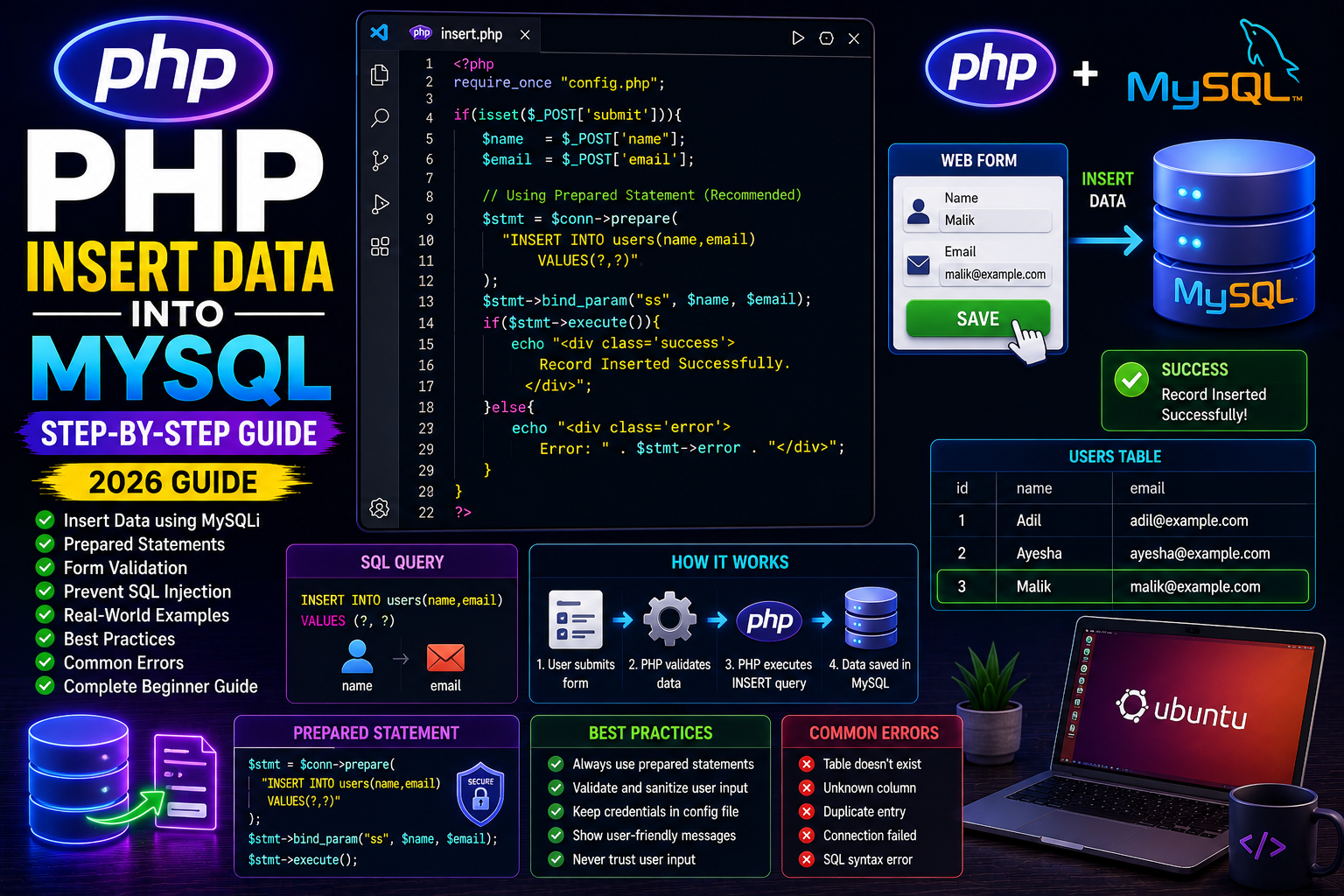
Introduction
After connecting PHP with MySQL, the next step is storing data in the database.
Whether you’re creating a registration form, contact page, employee management system, or product management software, you’ll need to insert records into MySQL tables.
In PHP, this is done using the SQL INSERT statement.
What is the INSERT Statement?
The INSERT statement adds one or more new rows into a database table.
Example SQL:
INSERT INTO users (name, email)
VALUES ('Adil', 'adil@example.com');
PHP executes this query through a MySQL connection.
Sample Database Table
Suppose we have a table named users.
| id | name | |
|---|---|---|
| 1 | Malik | malik@example.com |
HTML Form
Create a simple form.
<form method="POST">

<input
type="text"
name="name"
placeholder="Enter Name"
required>

<input
type="email"
name="email"
placeholder="Enter Email"
required>

<input
type="submit"
name="submit"
value="Save">

</form>
PHP Insert Code
<?php

require_once "config.php";

if(isset($_POST["submit"])){

$name=$_POST["name"];

$email=$_POST["email"];

$sql="INSERT INTO users(name,email)

VALUES('$name','$email')";

if($conn->query($sql)){

echo "Record Inserted Successfully.";

}else{

echo "Error: " . $conn->error;

}

}

?>
Output
If successful:
Record Inserted Successfully.
Why This Method Isn’t Safe
The above example works but is not secure.
A malicious user could perform SQL Injection by entering harmful SQL code.
For production websites, always use Prepared Statements.
Secure Insert Using Prepared Statements
<?php

$stmt = $conn->prepare(

"INSERT INTO users(name,email)

VALUES(?,?)"

);

$stmt->bind_param(

"ss",

$name,

$email

);

$stmt->execute();

echo "Data Saved Successfully.";

?>
Prepared statements automatically escape user input and protect your database.
Checking Empty Fields
if(empty($name) || empty($email)){

die("All fields are required.");

}
Always validate data before saving it.
Real-World Example
When a user registers:
- User fills the registration form.
- PHP validates input.
- Password is hashed.
- Data is inserted into the
userstable. - Success message is shown.
- User is redirected to the login page.
Common Errors
Table Doesn’t Exist
Table 'users' doesn't exist
Unknown Column
Unknown column 'email'
Duplicate Entry
Duplicate entry for key
Database Connection Failed
Connection failed
Always verify your database structure before inserting data.
Best Practices
- Use prepared statements.
- Validate user input.
- Sanitize displayed data.
- Display user-friendly error messages.
- Keep database credentials in a separate configuration file.
Frequently Asked Questions
Can INSERT add multiple rows?
Yes.
SQL supports inserting multiple records in a single query.
Which is better: query() or prepare()?
Prepared statements are strongly recommended because they protect against SQL Injection.
Can INSERT automatically create IDs?
Yes.
If the table uses AUTO_INCREMENT, MySQL generates the ID automatically.
Conclusion
The INSERT statement is one of the most frequently used database operations in PHP. By combining HTML forms, MySQLi, and prepared statements, you can safely store user information and build secure, professional web applications.
Next Tutorial
PHP SELECT Data from MySQL (2026 Guide)