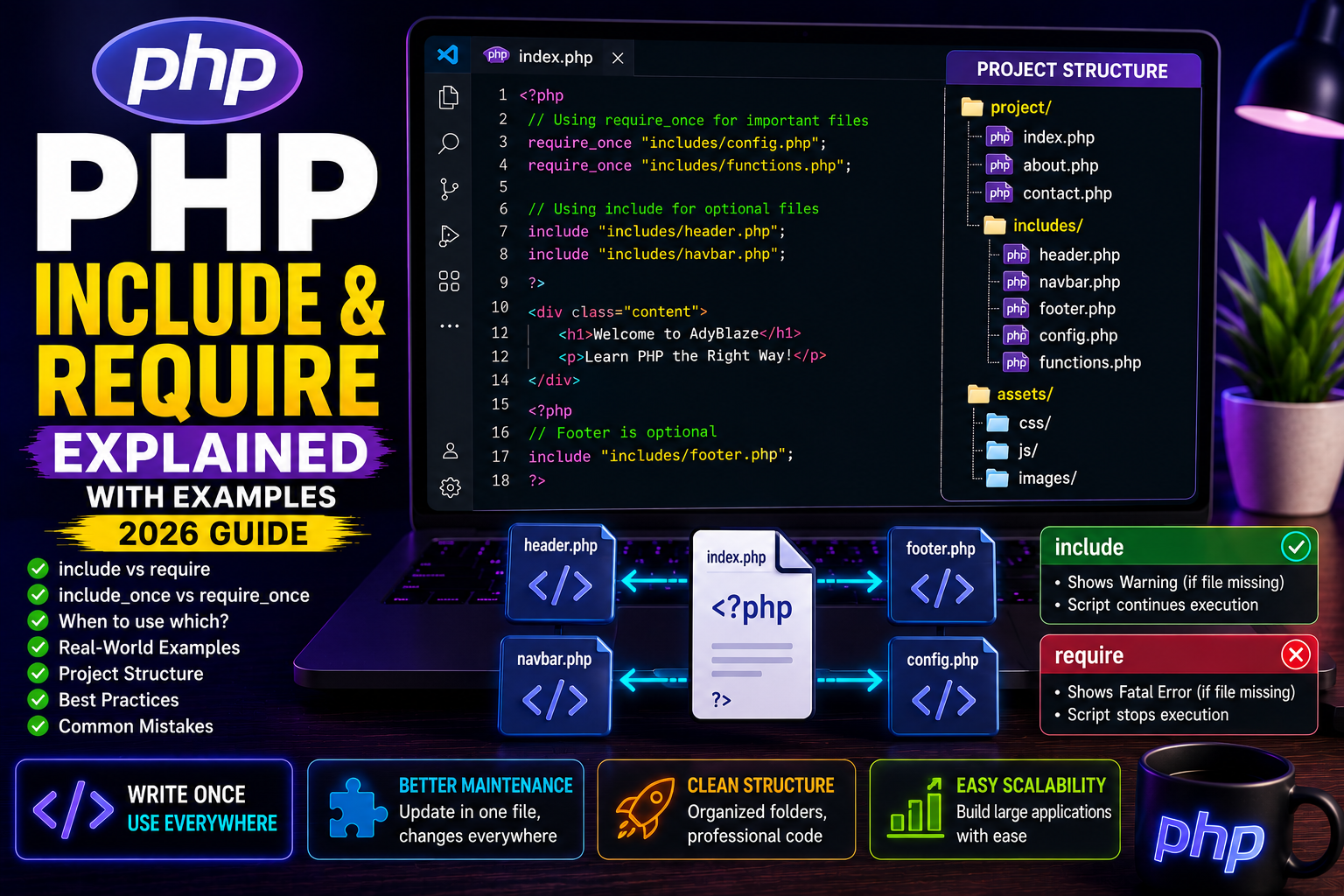
What are Include and Require in PHP?
As your PHP project grows, placing all code inside a single file becomes difficult to manage.
Imagine writing your navigation bar, footer, database connection, configuration, and helper functions repeatedly on every page. It would create duplicate code and make maintenance difficult.
PHP solves this problem using include and require.
These statements allow you to load one PHP file into another, making your code modular, reusable, and easier to maintain.
Why Use Include and Require?
Using include and require provides several benefits:
- Reuse common code
- Reduce duplicate code
- Simplify maintenance
- Keep projects organized
- Improve readability
- Easier updates
Professional PHP applications always separate reusable components into different files.
Using include
The include statement inserts another PHP file into the current script.
Example:
Create a file named header.php
<h1>Welcome to AdyBlaze</h1>
Now create index.php
<?php

include "header.php";

echo "<p>PHP Tutorial Homepage</p>";

?>
Output
Welcome to AdyBlaze

PHP Tutorial Homepage
Using require
The syntax looks almost identical.
<?php

require "header.php";

echo "Learning PHP";

?>
If the file exists, the output is the same.
Difference Between Include and Require
The biggest difference appears when the file cannot be found.
include
include "missing.php";
Result:
- Shows a warning
- Continues executing the remaining code
require
require "missing.php";
Result:
- Shows a fatal error
- Stops script execution immediately
When Should You Use include?
Use include when the missing file is optional.
Examples:
- Advertisement section
- Sidebar widgets
- Optional banners
- News ticker
Even if these files fail to load, your website can still work.
When Should You Use require?
Use require for important files.
Examples:
- Database connection
- Configuration file
- Authentication
- Core functions
- Security settings
Without these files, the application cannot function correctly.
include_once
Sometimes a file gets included multiple times accidentally.
This can cause errors like:
Cannot redeclare function...
To prevent this, use:
<?php

include_once "functions.php";

?>
The file loads only once.
require_once
Similarly:
<?php

require_once "config.php";

?>
Even if the statement appears multiple times, PHP loads the file only once.
This is considered a best practice for configuration files.
Real-World Project Structure
A professional PHP project might look like this:
project/

│

├── index.php

├── about.php

├── contact.php

│

├── includes/

│ ├── header.php

│ ├── navbar.php

│ ├── footer.php

│ ├── config.php

│ └── functions.php

│

└── assets/

    ├── css/

    ├── js/

    └── images/
This structure keeps projects clean and easy to manage.
Example
<?php

require_once "includes/config.php";

require_once "includes/functions.php";

include "includes/header.php";

include "includes/navbar.php";

?>

<h1>Welcome to AdyBlaze</h1>

<?php

include "includes/footer.php";

?>
This structure is similar to the architecture used in professional PHP websites and CMS projects.
Best Practices
- Use
require_oncefor configuration files. - Use
includefor optional sections. - Keep reusable files inside an
includesfolder. - Avoid including the same file repeatedly.
- Use meaningful filenames.
Common Mistakes
❌ Including the same file multiple times
❌ Using include for critical configuration
❌ Mixing HTML and PHP unnecessarily
❌ Placing reusable code directly in every page
Frequently Asked Questions
Which is better: include or require?
Use:
requirefor mandatory filesincludefor optional files
What is the difference between include_once and require_once?
Both prevent duplicate loading.
The only difference is how they behave if the file is missing.
Why do professional developers use require_once?
It avoids duplicate loading and ensures critical files are always available.
Conclusion
include and require are fundamental PHP features that help organize projects into reusable components. They reduce duplicate code, improve maintainability, and make large applications much easier to manage.
If you plan to build professional PHP applications, understanding these statements is essential.
Next Tutorial
PHP GET & POST Methods Explained (2026 Guide)