Introduction
Whenever a user submits a form, logs in, searches for something, or updates profile information, data must be sent from the browser to the server.
PHP mainly uses two methods to receive this data:
- GET
- POST
Understanding these methods is essential because almost every PHP application uses them.
What is the GET Method?
The GET method sends data through the URL.
Example URL:
https://example.com/profile.php?name=Adil&city=Lucknow
PHP receives these values using the $_GET superglobal.
Example:
<?php

echo $_GET["name"];

?>
Output
Adil
When Should You Use GET?
GET is commonly used for:
- Search forms
- Category filters
- Pagination
- Sorting products
- Sharing URLs
Example:
products.php?category=shoes
This URL can easily be bookmarked or shared.
What is the POST Method?
The POST method sends data inside the HTTP request body instead of the URL.
Example form:
<form method="POST">

Name:

<input type="text" name="username">

<input type="submit">

</form>
Receiving data:
<?php

echo $_POST["username"];

?>
When Should You Use POST?
POST should be used for:
- Login forms
- Registration
- Contact forms
- Payment pages
- File uploads
- Password submission
Sensitive information should never be sent using GET.
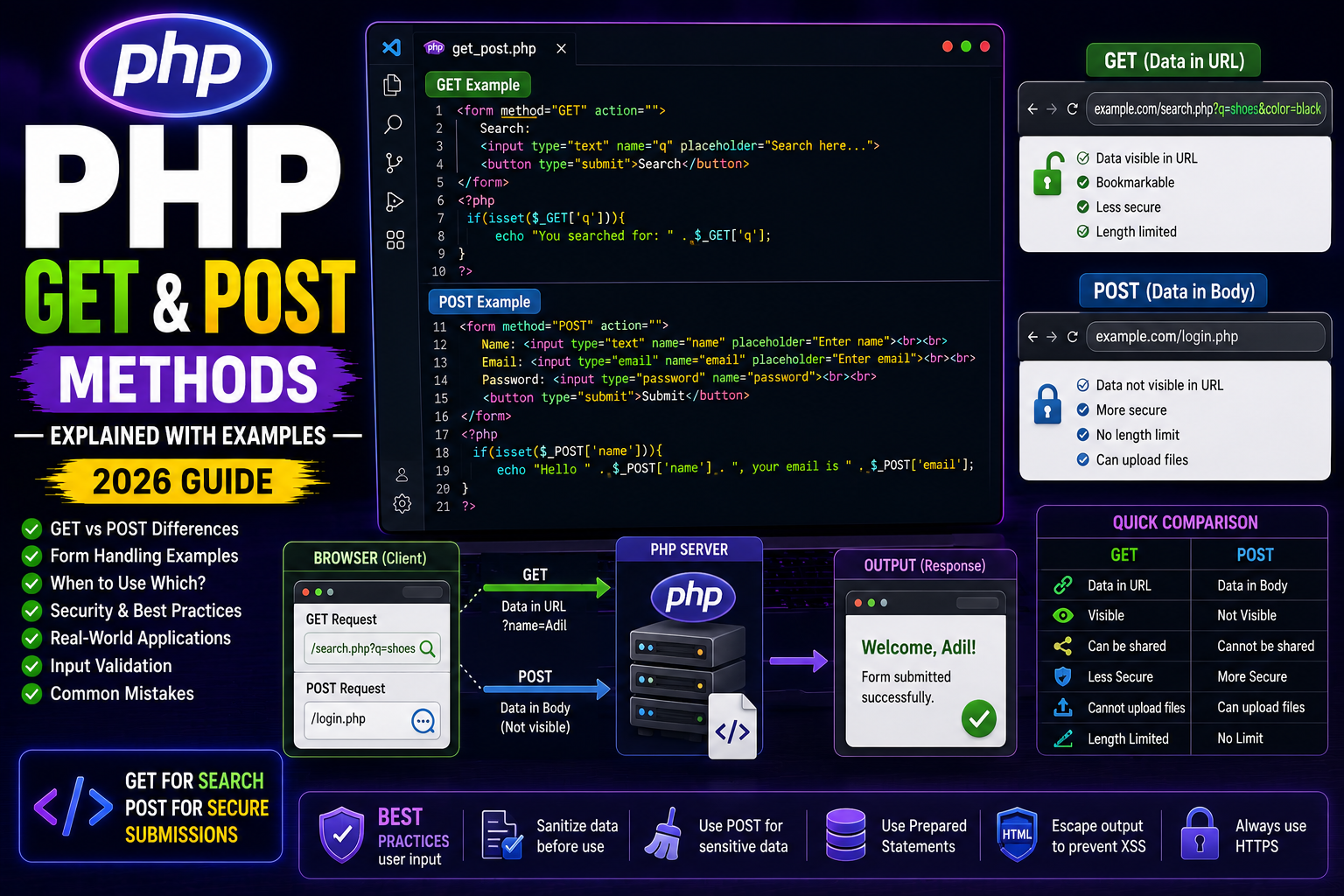
GET vs POST
| Feature | GET | POST |
|---|---|---|
| Data visible in URL | ✅ Yes | ❌ No |
| More secure | ❌ | ✅ |
| Bookmarkable | ✅ | ❌ |
| File Upload | ❌ | ✅ |
| Used for search | ✅ | Sometimes |
| Used for login | ❌ | ✅ |
Example Using GET
<a href="welcome.php?name=Malik">

Open Profile

</a>
welcome.php
<?php

echo "Welcome " . $_GET["name"];

?>
Example Using POST
<form method="POST">

<input type="text"

name="name"

placeholder="Enter Name">

<input type="submit">

</form>

<?php

if(isset($_POST["name"])){

echo "Hello " . $_POST["name"];

}

?>
Checking if Data Exists
Never access GET or POST directly without checking.
Example:
if(isset($_POST["email"])){

echo $_POST["email"];

}
This prevents unnecessary warnings.
Real-World Example
Login form:
<form method="POST">

<input type="email"

name="email">

<input type="password"

name="password">

<input type="submit"

value="Login">

</form>
PHP:
<?php

$email = $_POST["email"];

$password = $_POST["password"];

?>
This is the same concept used in almost every authentication system.
Security Tips
- Validate user input.
- Sanitize all data.
- Never trust user input.
- Use POST for passwords.
- Escape output before displaying.
- Use prepared statements when storing data in databases.
Common Mistakes
❌ Using GET for passwords
❌ Forgetting isset()
❌ Trusting user input
❌ Not validating form fields
Frequently Asked Questions
Which method is faster?
The speed difference is negligible.
Can GET send passwords?
Technically yes, but it should never be used because the data becomes visible in the URL.
Which method is more secure?
POST is more secure because data is not exposed in the URL, but both methods still require proper validation and HTTPS.
Conclusion
GET and POST are the foundation of PHP form handling. GET is best for retrieving and sharing information, while POST is the preferred choice for submitting sensitive or important data such as login credentials, registrations, and payments.
Understanding when to use each method is essential for building secure and professional PHP applications.
Next Tutorial
PHP Forms Explained with Examples (2026 Guide)