Introduction
Cookies are small pieces of data stored in the user’s browser. Unlike sessions, which store data on the server, cookies store information on the client’s device.
Cookies help websites remember users even after they close and reopen their browser.
They are widely used for:
- Remember Me login
- Dark mode preference
- Language selection
- Shopping cart preferences
- Recently viewed products
- User personalization
What is a Cookie?
A cookie is a small text file created by the server and stored in the browser.
When the user visits the website again, the browser sends the cookie back to the server.
This allows PHP to recognize returning visitors.
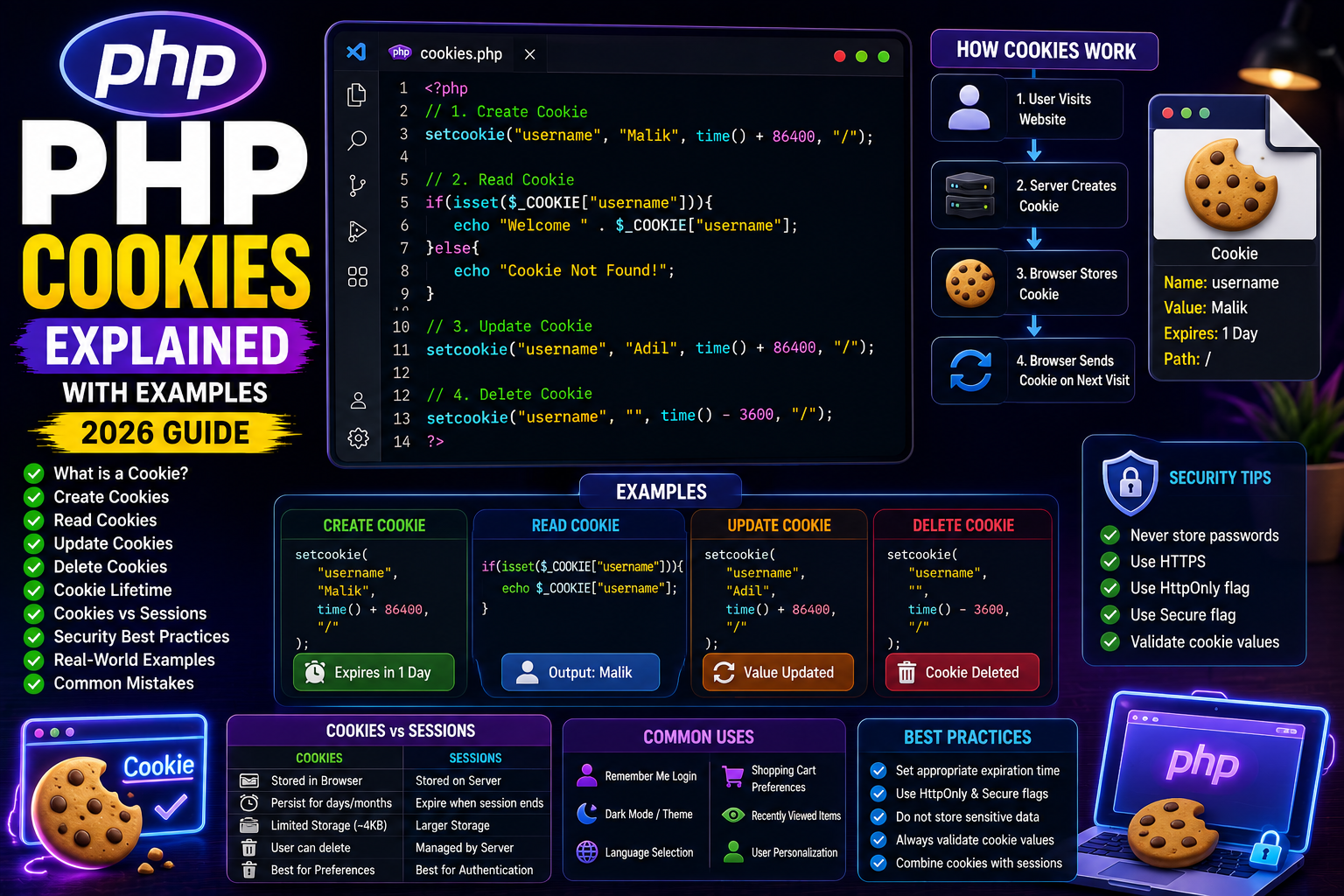
How Cookies Work
- User visits the website.
- PHP creates a cookie.
- Browser stores the cookie.
- User revisits the website.
- Browser sends the cookie back automatically.
- PHP reads the stored value.
Creating a Cookie
Use the setcookie() function.
<?php

setcookie(
    "username",
    "Malik",
    time() + 86400,
    "/"
);

echo "Cookie Created";

?>
This cookie expires after 1 day.
Reading a Cookie
<?php

if(isset($_COOKIE["username"])){

    echo "Welcome " . $_COOKIE["username"];

}

?>
Output
Welcome Malik
Updating a Cookie
Simply create the cookie again with a new value.
<?php

setcookie(
    "username",
    "Adil",
    time()+86400,
    "/"
);

?>
The old value is replaced.
Deleting a Cookie
To delete a cookie, set its expiration time to the past.
<?php

setcookie(
    "username",
    "",
    time()-3600,
    "/"
);

?>
The browser removes the cookie.
Cookie Lifetime
Common expiration examples:
- 1 hour
time() + 3600
- 1 day
time() + 86400
- 30 days
time() + (86400 * 30)
Real-World Example
Remember the user’s preferred theme.
<?php

setcookie(
    "theme",
    "dark",
    time()+86400*30,
    "/"
);

?>
Later:
<?php

if(isset($_COOKIE["theme"])){

    echo "Theme: " . $_COOKIE["theme"];

}

?>
Cookies vs Sessions
| Cookies | Sessions |
|---|---|
| Stored in browser | Stored on server |
| Can persist for days/months | Usually expire when session ends |
| Limited storage | Larger storage |
| User can delete them | Managed by server |
| Best for preferences | Best for authentication |
Security Tips
- Never store passwords in cookies.
- Use HTTPS.
- Enable the
HttpOnlyflag for sensitive cookies. - Use the
Secureflag on HTTPS sites. - Validate cookie values before using them.
Common Mistakes
❌ Storing confidential information
❌ Creating cookies after HTML output
❌ Assuming cookies always exist
❌ Trusting cookie values without validation
Frequently Asked Questions
Where are cookies stored?
In the user’s web browser.
Can users delete cookies?
Yes. Users can clear cookies from browser settings.
Are cookies secure?
Cookies are useful but should never store sensitive information such as passwords or payment details.
Conclusion
Cookies help websites remember users, preferences, and settings across multiple visits. Combined with PHP Sessions, they form the backbone of personalization and authentication in modern web applications.
Understanding cookies is essential for building user-friendly PHP websites.
Next Tutorial
PHP File Upload Explained with Examples (2026 Guide)